One closed loop
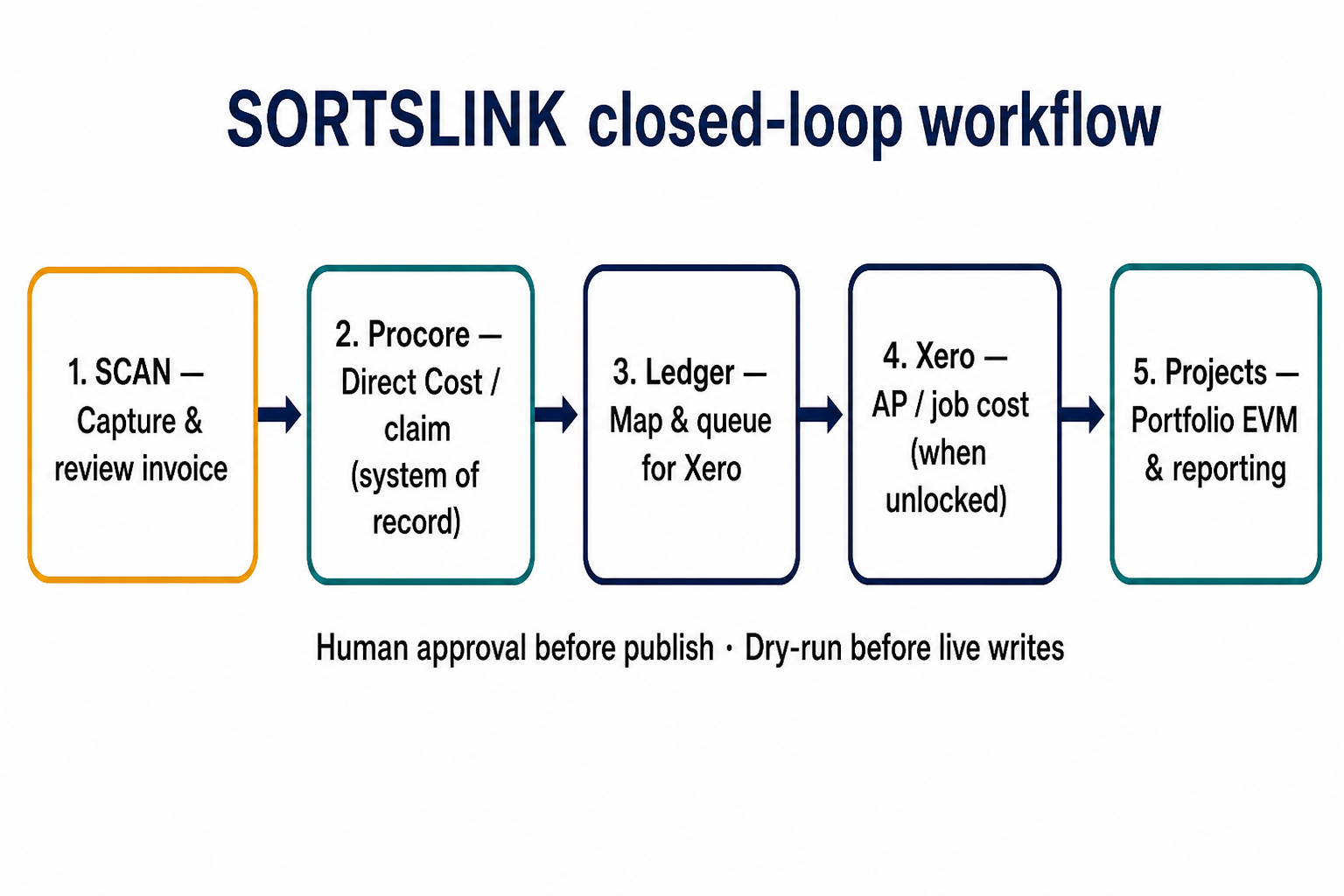
Scan captures invoices, Procore holds job costs, Ledger maps to Xero, and Projects reports portfolio EVM on the same data.
Product group
SORTSlink is how SORTS apps connect to the ERPs you already run — starting with Procore. Procore stays the system of record. We add capture, cost intelligence, and ledger sync with human approval at every step.
Benefits
Built for construction and project businesses that need one lineage from invoice to job cost to ledger — without replacing Procore.
Scan captures invoices, Procore holds job costs, Ledger maps to Xero, and Projects reports portfolio EVM on the same data.
Review before publish. Role-gated apply. Live Procore and Xero writes stay off until you deliberately unlock them.
Run a company pilot with full visibility and zero live mutation — finance and IT can validate before go-live.
Every Direct Cost and progress claim carries a durable origin id so auditors can trace invoice → Procore → Xero.
CPI, SPI, EAC, and actuals refresh from live Procore data — one portfolio view without spreadsheet exports.
Project allow-lists, viewer vs operator roles, and workspace snapshots for evidence when you need it.
Products
Each product owns a step in the workflow. Together they remove re-keying between invoice PDF, Procore, and your GL.
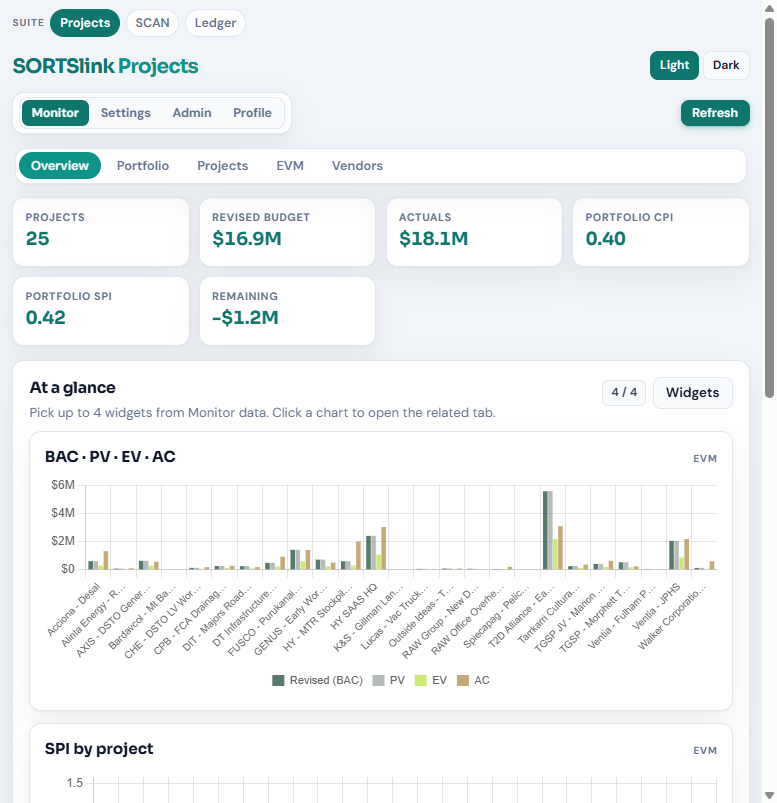
SORTSlinkProjects
Live Procore data for budgets, actuals, earned value, and portfolio KPIs. CPI, SPI, EAC, refresh and cache — so leadership sees cost performance without leaving the system of record.
SORTSlinkScan
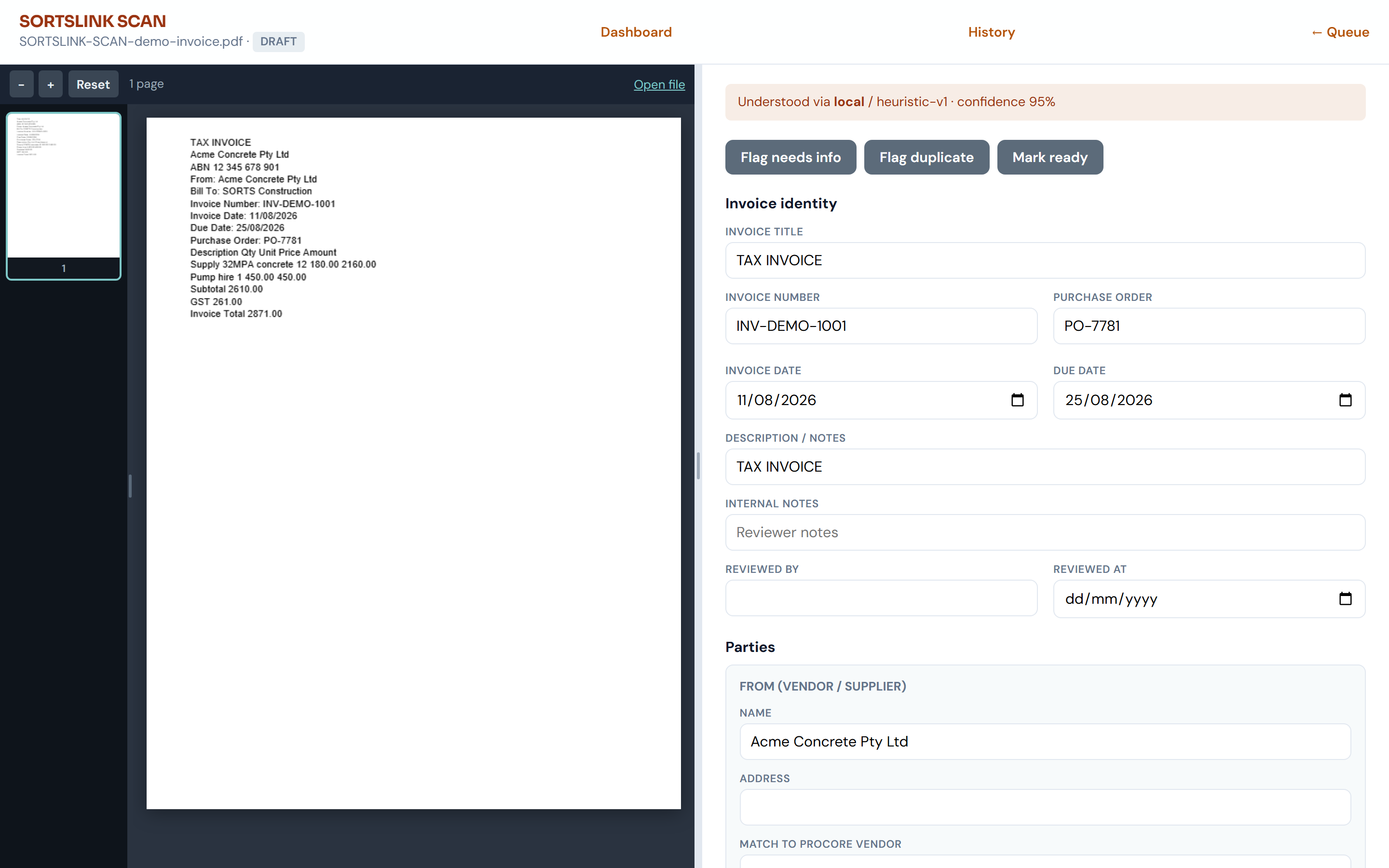
Turn supplier invoices into structured records. Capture, review with your team, then publish a Direct Cost or progress claim to Procore with a durable origin id.
SORTSlinkLedger
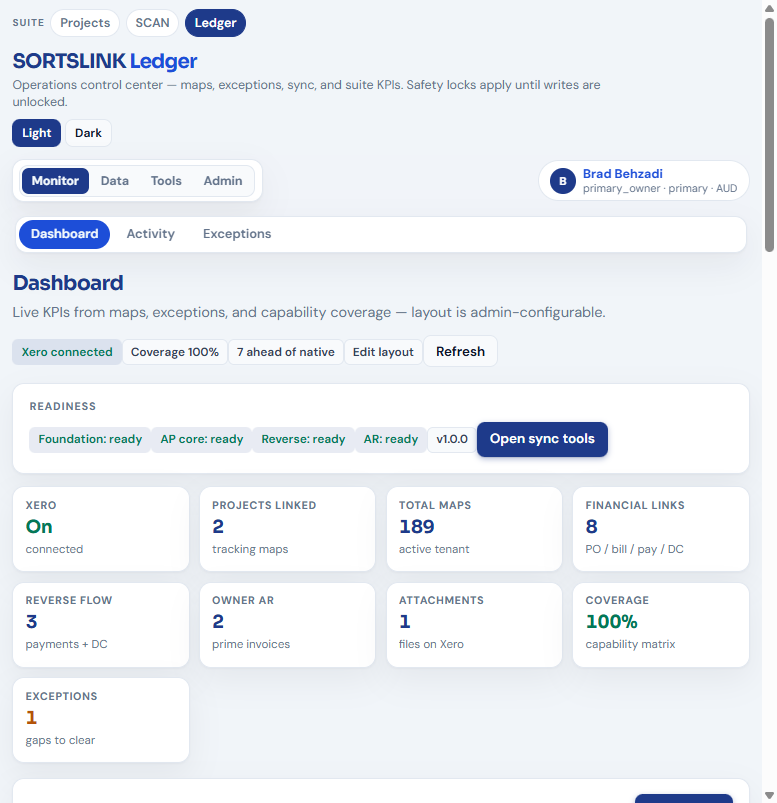
Map vendors, codes, commitments, AP/AR and job costs between Procore and Xero. Dry-run first — see exactly what would sync before any live write is unlocked.
How it runs
An invoice should not be re-keyed three times. SORTSlink keeps lineage from capture to job cost to the ledger.
Insights
Practical guidance for finance, project controls, and leadership evaluating an integration pilot.
Most teams copy PDF amounts into Procore, then into Xero, then reconcile in a spreadsheet. SORTSlink carries one origin id from Scan through Procore to Ledger so each step references the same source document.
Finance and IT can approve a pilot with live writes disabled. Users see full workflow and mapping accuracy; nothing mutates Procore or Xero until a separate go-live sign-off.
Projects pulls CPI, SPI, and EAC from live Procore data. Leadership gets a portfolio view aligned to the same actuals your project teams see — refreshed on demand, not rebuilt weekly.
Support & pilot
For install access, a company pilot, or product questions, contact our team. We can walk through observe-only setup, roles, and project scope before any live writes.